- Role
- Product designer · Primary design owner
- Engagement
- End-to-end engagement
- Focus
- Healthcare · B2B SaaS · Mobile app
01 / Intro
A connected physician workflow
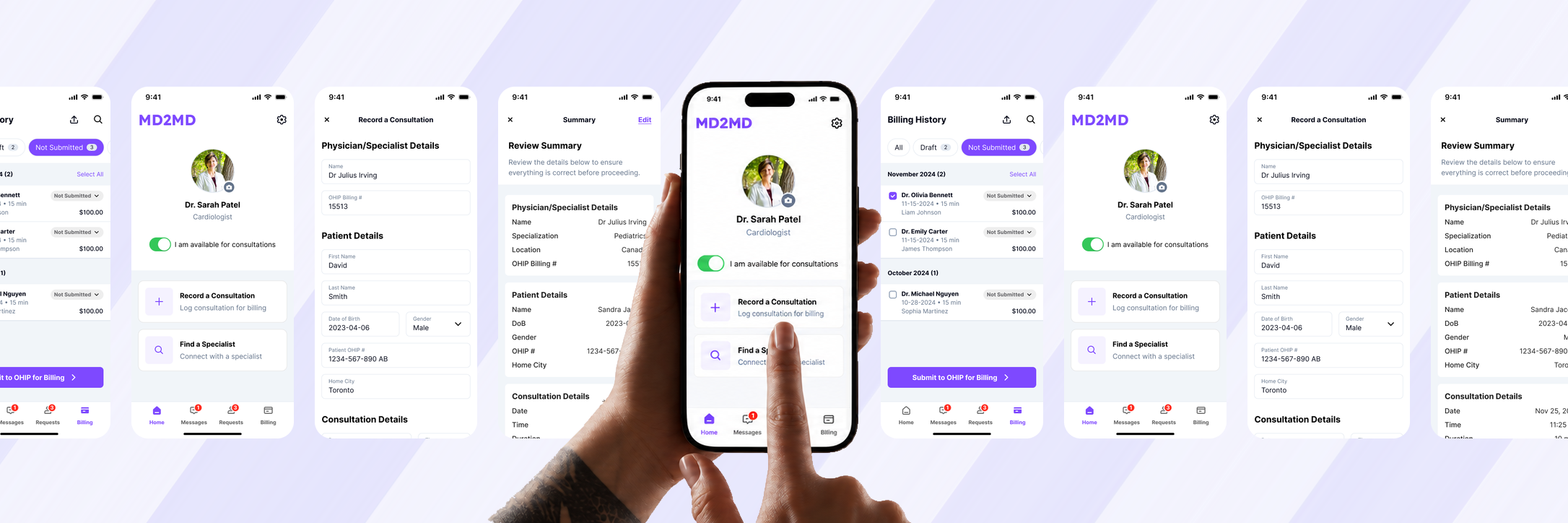
MD2MD helps physicians find specialists, manage consultations and records, and bill through the Ontario Health Insurance Plan (OHIP). As primary designer, I translated requirements and pain points from the physician business owners into user flows and 79 development-ready screens, with UX Lead review when needed.
02 / User Flow
Designing around the physician’s workflow.
From Home, physicians can find a specialist, record a consultation directly or set their availability. These are alternative actions, not a single mandatory sequence.
Choose the action that matches the physician’s current task.
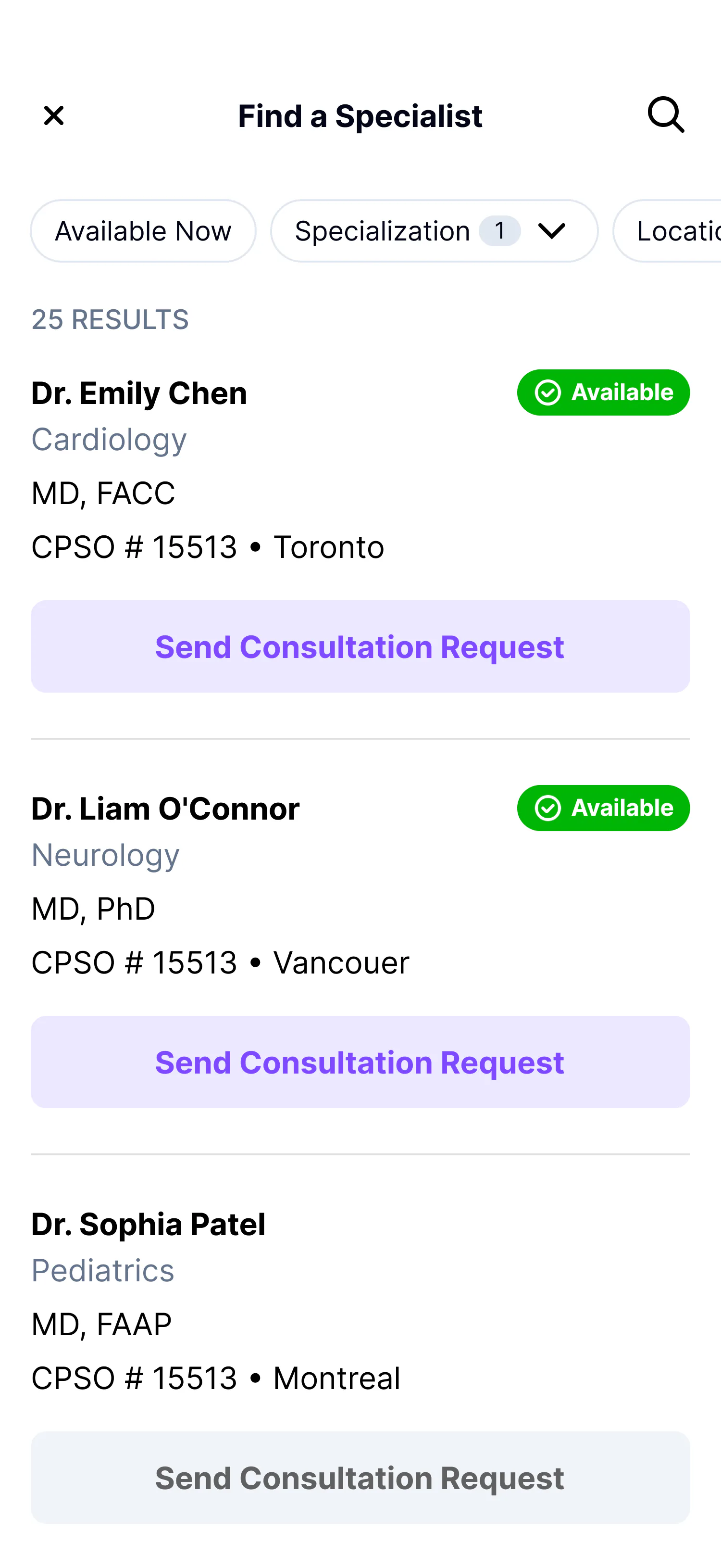
Find a Specialist
Discovery leads to a consultation request.
- DiscoveryFind an available specialist by specialty and location.
- RequestsSend a consultation request from the selected specialist.
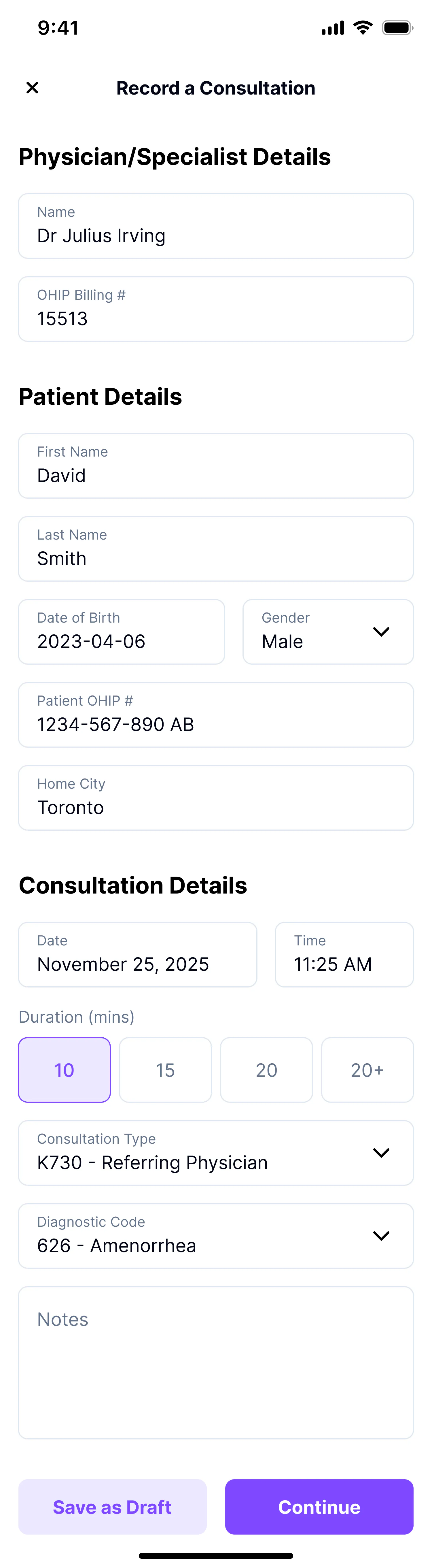
Record a Consultation
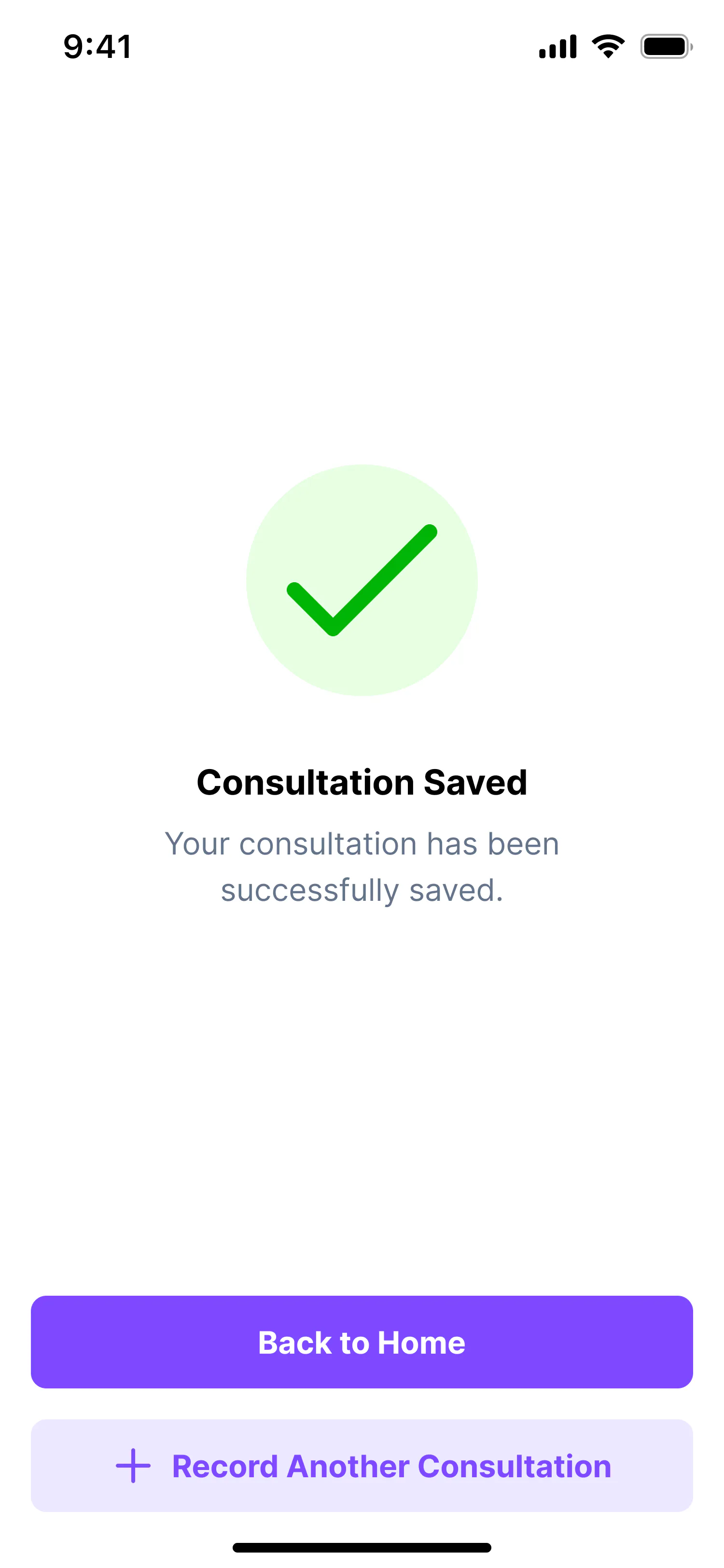
Record capture continues to review and billing.
- CaptureRecord physician, patient and consultation details, or save a draft.
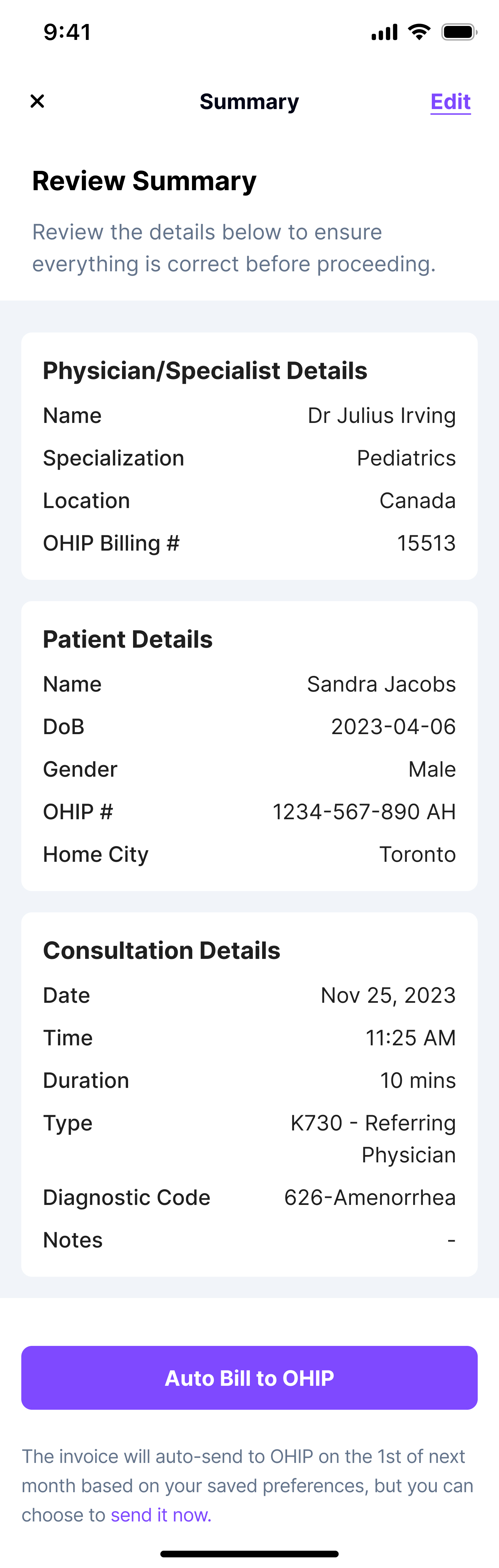
- Review and billingReview and edit the record, then use scheduled automatic billing or send it now.
Availability
A separate physician control.
- AvailabilitySet whether the physician is available for consultations.
03 / Product and Decisions
Put the physician’s next action first
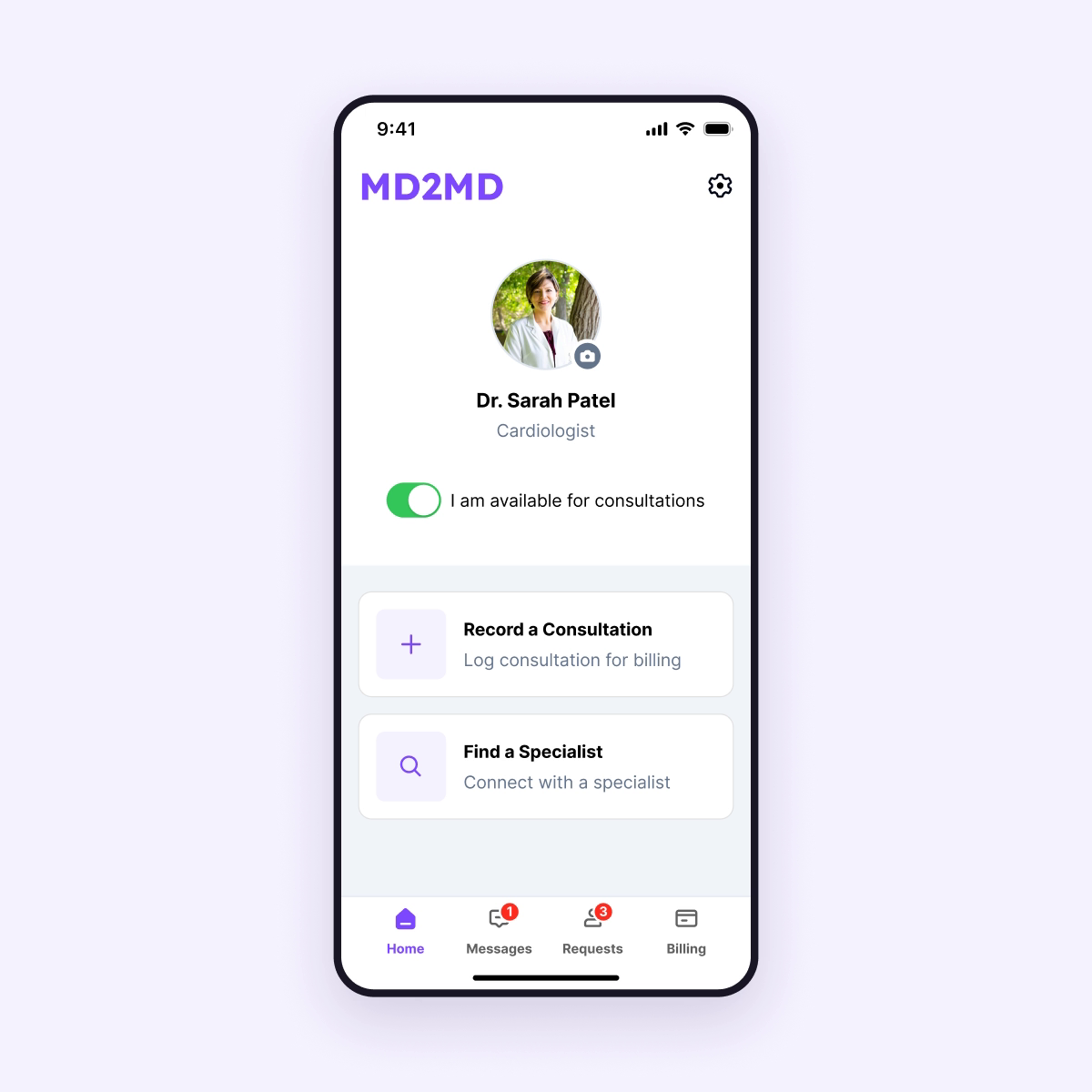
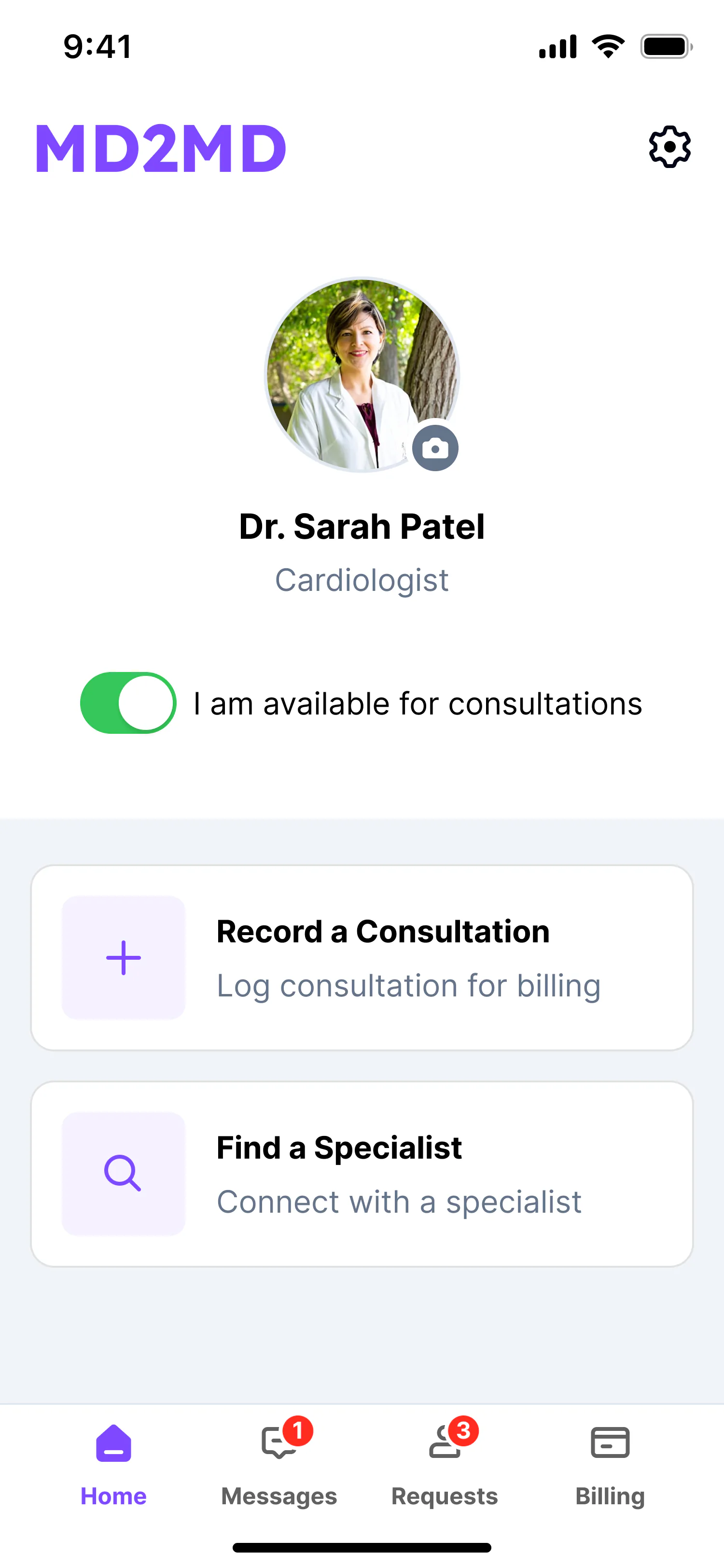
The home screen brings Record a Consultation, Find a Specialist and the physician’s availability control together, giving direct access to the main actions.
Make availability actionable
- Why:
- To let physicians identify an available specialist before requesting a consultation.
- How:
- Each result shows availability, specialty and location beside a direct consultation request action.
Give a detailed record a clear sequence
- Why:
- To organize physician, patient and consultation details into a clear recording sequence.
- How:
- The form groups these details into sections and includes an option to save a draft.
Keep billing in the consultation workflow
- Why:
- To give physicians an opportunity to check and correct the completed record before billing.
- How:
- The consultation summary brings the recorded details together with Edit and OHIP billing actions.
Scheduled automatic billing keeps the record on the physician’s saved billing schedule. ‘Send it now’ lets them submit the reviewed record earlier, giving them control over timing without leaving the consultation workflow.
Make billing status visible
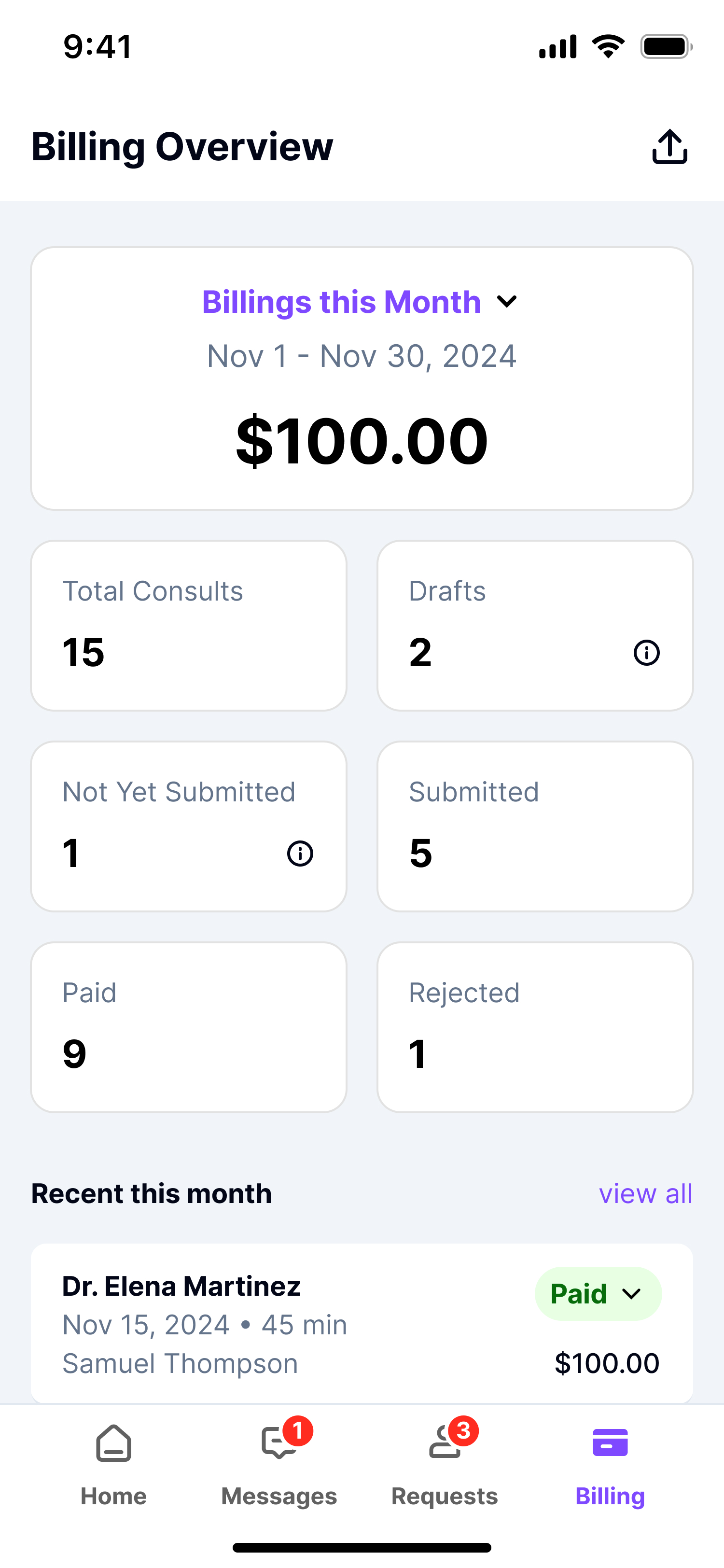
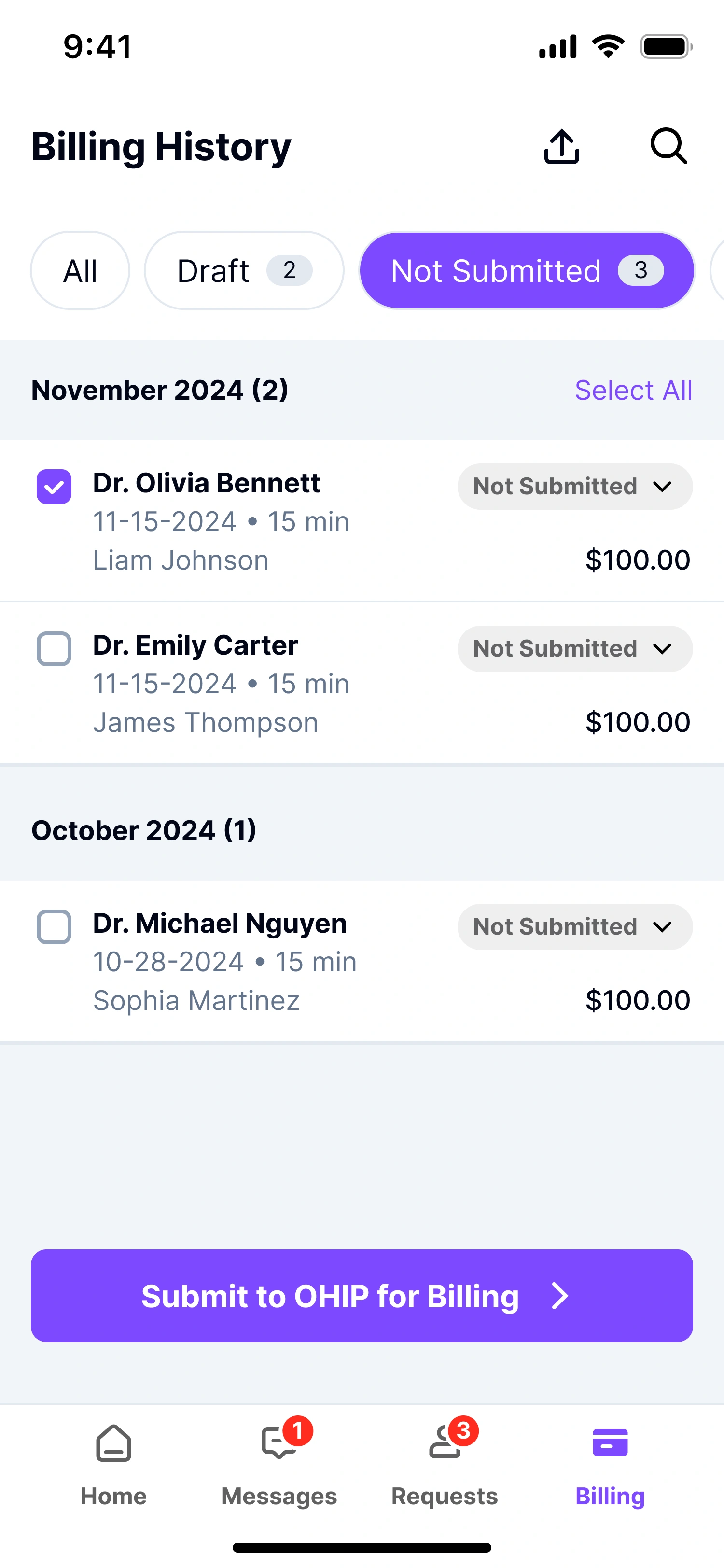
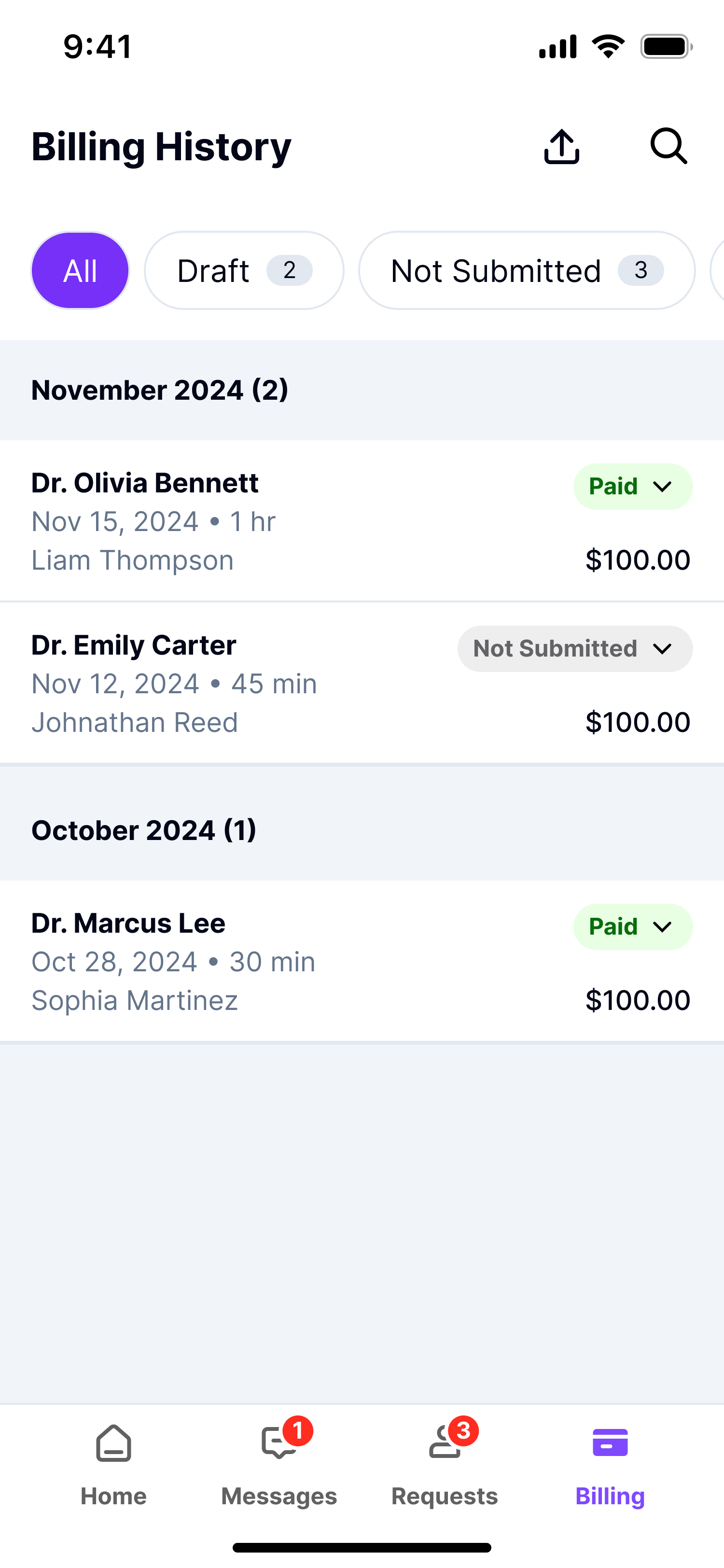
The billing overview brings monthly totals, consultation counts, amounts and statuses together so physicians can check consultation activity and billing status in one place.
Make requests actionable
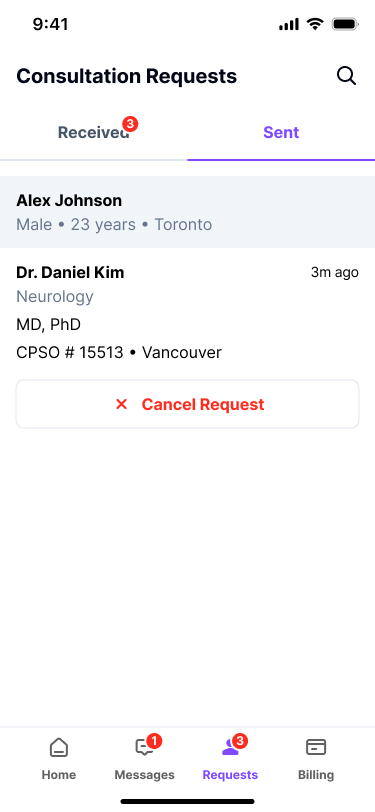
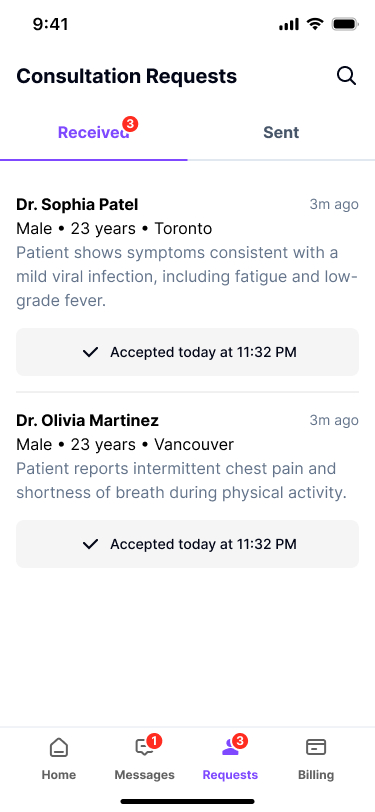
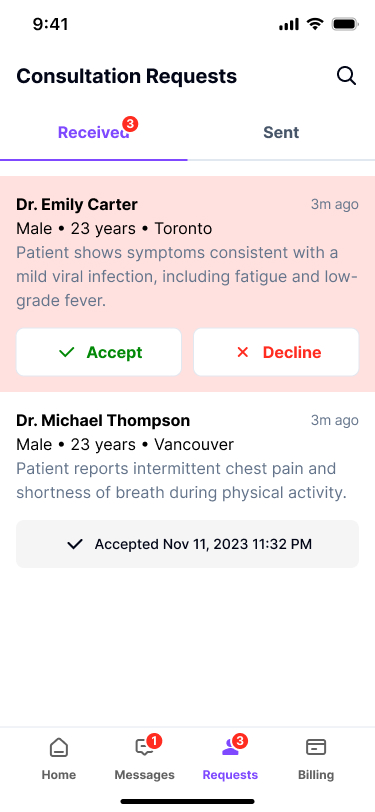
Received and Sent tabs distinguish incoming from outgoing requests. Received requests show patient context alongside Accept and Decline, allowing physicians to review the request before responding.
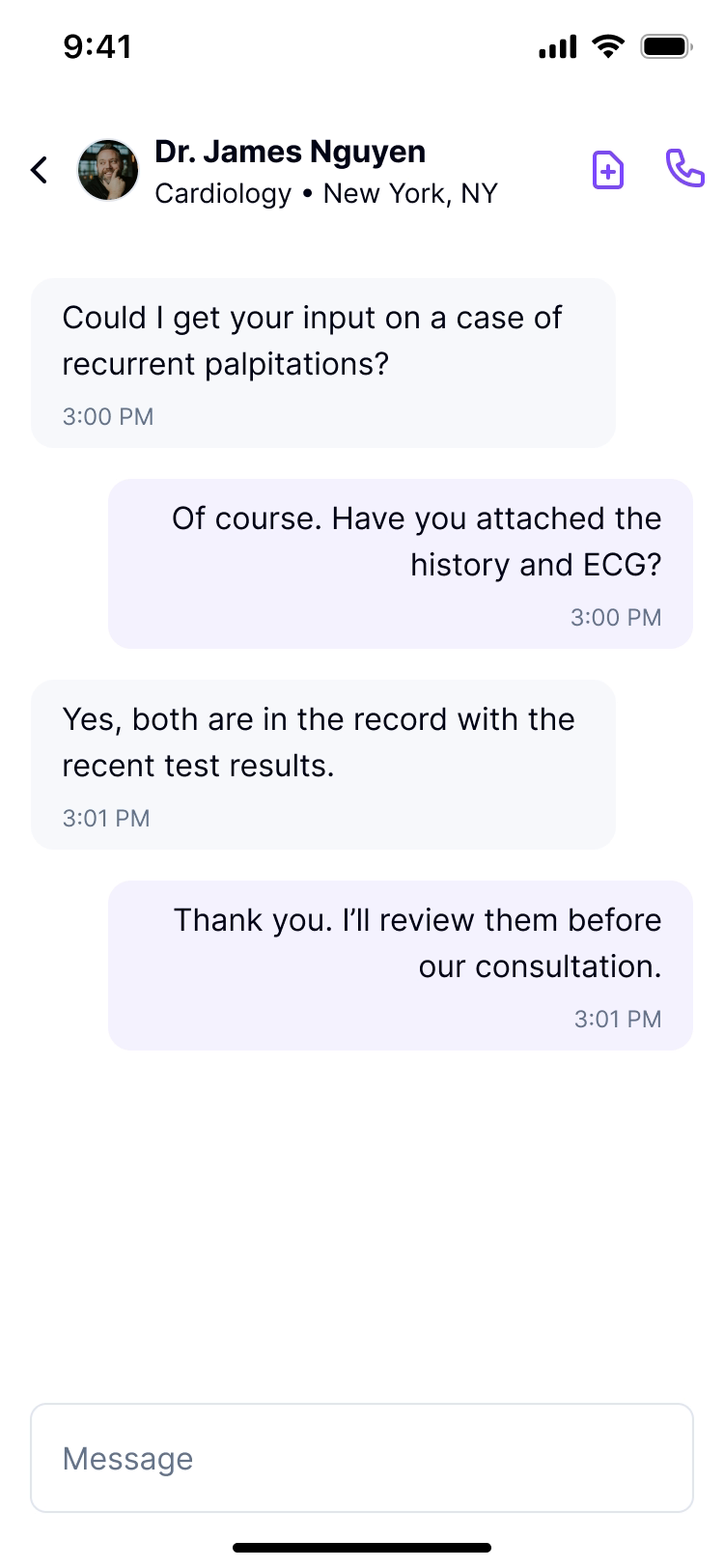
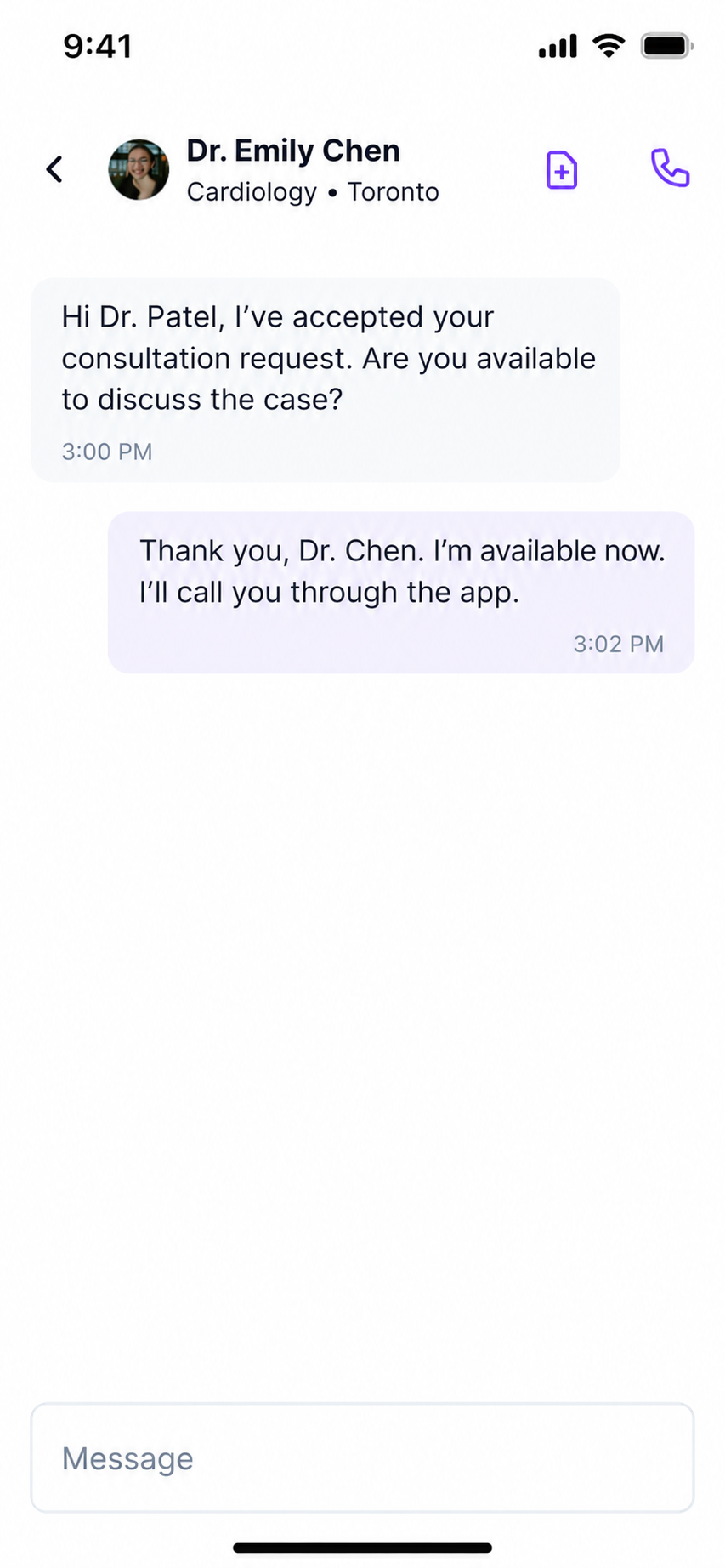
Keep physician conversations in context
The thread header identifies the colleague by name, specialty and location.
04 / System
A tailored foundation for the physician workflow.
I adapted the Dynamic Layers UI kit for MD2MD, customizing its components and introducing patterns where the physician workflow required them. This provided a consistent foundation for forms, requests, consultation records and billing without rebuilding every interface element from scratch.
05 / Product screens
06 / Delivery
MD2MD is live; post-launch performance data was not available for this case study.